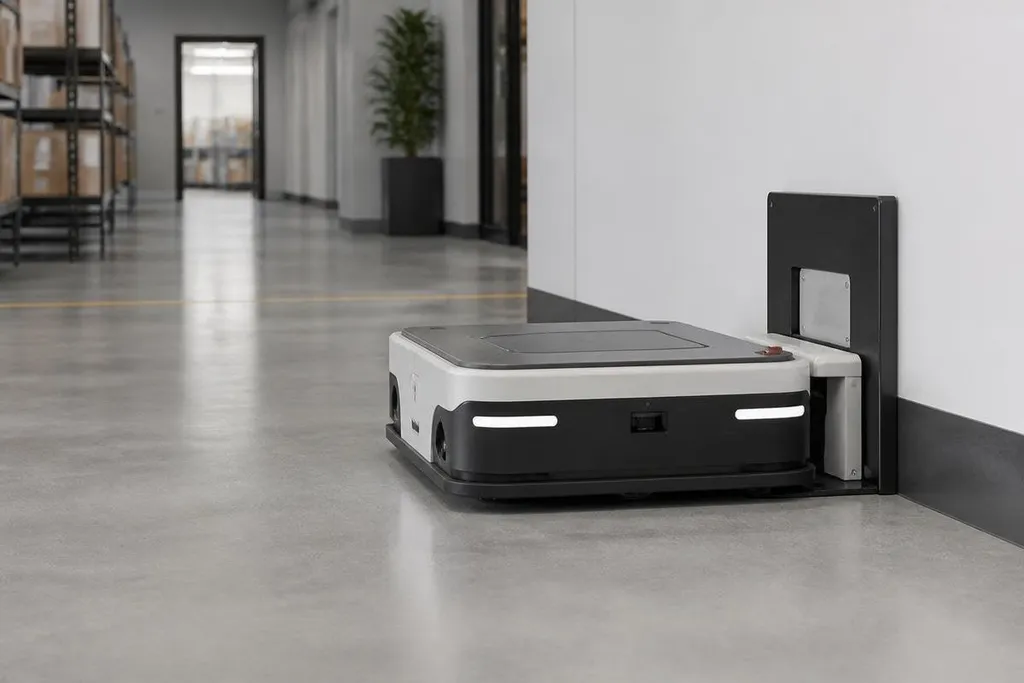
A charging station only helps a mobile robot if the robot can reach it, line up with it, and confirm that charging has started. That process combines route planning, sensors, battery checks, and a short exchange of signals between the robot and the station.
Quick read
- Navigation gets the robot near the station
- Docking sensors handle the last few centimeters
- Charging starts after the contacts and safety checks agree
From route planning to the station
A robot first decides that it needs power. Its battery system reports charge level, current use, and whether the remaining power can cover the next task and a safe return. The software then adds the charging station as a destination.
The robot uses a map to plan a route through its work area. That map may include walls, shelves, restricted zones, and the station's recorded position. Sensors such as LiDAR, cameras, wheel encoders, and inertial sensors help the robot estimate where it is while it moves.
This stage gets the robot close. It doesn't place the charging contacts together.
A station may advertise its location through a visual marker, an infrared signal, a radio message, or a fixed position in the robot's map. Some designs use more than one method so the robot can still find the station when a shelf, person, or parked vehicle blocks part of its view.
For a warehouse manager, this division matters. A robot that reaches the right aisle but cannot identify the station has a route-planning problem. A robot that reaches the station and misses the contacts has a docking problem.
The last movement is different
Docking starts when the robot enters the station's approach area. At that point, short-range sensors guide a slower movement. Cameras can read a marker, infrared sensors can detect a beacon, and contact sensors can tell when the robot has touched the charging surface.
The station and robot need a suitable angle, height, and position. A wheeled robot may steer into rails or a funnel-shaped guide. A legged robot may place its body or charging connector against a fixed target. Inductive systems transfer power across a gap, while conductive systems use metal contacts.
The final approach often has to tolerate small errors in position. Mechanical guides can correct some of that error, but the robot still needs a clear floor area and a station that has not shifted. Dust, a bent contact, or an object left in the approach lane can stop the process.
That is why docking deserves its own test. A robot can move well through a facility and still lose work time if it needs several attempts to connect.
A failed dock can stop a shift even when the robot still has battery power. Charging robotics reports from Robot24.com can tie docking claims to the station type, retry count, contact method, and recovery time. The next test starts after the charging plug or pad connects.
What happens after contact
The robot does not treat physical contact as permission to draw power. A control system checks that the station is ready, the robot is in the expected position, and the electrical connection is safe.
The battery management system, or BMS, monitors cell voltage, temperature, current, and charge level. It tells the charging hardware how much power the battery can accept. The station can stop the flow if a safety signal fails or the robot moves away from the contacts.
Software also records the charging state. The robot may wait until the battery reaches a set level, or it may leave with enough charge for a scheduled task. A fleet system can send another robot to the station when several robots need power, which helps prevent two robots from trying to occupy one docking point.
Charging time depends on battery size, charging power, temperature, and the rule used to protect the cells. A robot that leaves at 60% may return to work sooner, while one that waits for a higher level may spend longer at the station but have more working time before its next visit.
Check the setup before deployment
Use this short check when you assess a charging plan:
- Map the station's approach route and mark areas where people, carts, or stock can block it.
- Confirm the robot can detect the station when its main camera or beacon path is partly blocked.
- Test docking from several starting angles instead of one clean demonstration position.
- Check contact wear, connector damage, floor level, and the space needed for safe movement.
- Set the battery exit level around the work schedule, then measure how often robots return.
I'd judge a charging setup by completed docking cycles during normal work, not by a successful first connection in an empty room.
The open question for any deployment is simple: how often does the robot reach the station, connect on the first attempt, and leave with enough charge for the next task? That record will decide whether charging supports the operation or becomes another source of downtime.